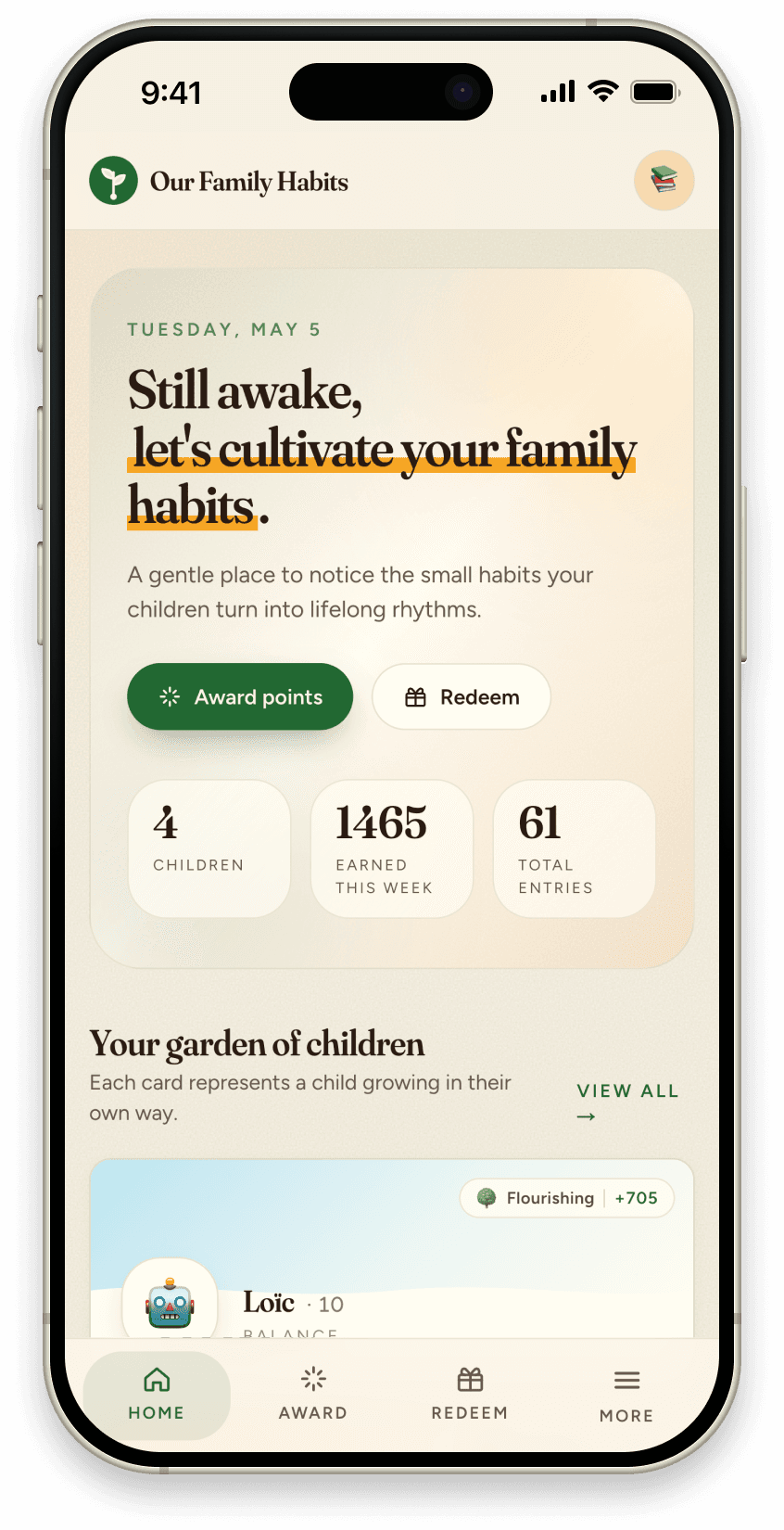
FamiLAMI vs Family Habits: the game layer, or the calm one?
FamiLAMI turns chores into a quest with a virtual pet and a game world. Family Habits does the opposite — it stays deliberately quiet. Both build habits; they just bet on different engines. Here's how to tell which one your kid (and your house) actually needs.
By Jon Horton ·

FamiLAMI and Family Habits are after the same outcome — kids who build lasting habits without being nagged into them. They both let a parent set daily actions, both work across multiple kids, both turn finished tasks into a reward of some kind. On the store listing they look like twins.
The difference is the engine underneath. FamiLAMI's engine is a game — "it turns boring routines into an exciting game," with a virtual pet to care for, locations to explore, and quests to complete. Family Habits' engine is calm visibility — a quiet shared picture of what's getting done, with no game world on top. Both can work. They suit different kids and very different houses, and that's the whole decision.
The quick verdict
- Pick FamiLAMI if your kid needs a game hook to engage at all — younger children, or kids who light up for a virtual pet and a quest map. The gamification is the draw, and FamiLAMI does it wholeheartedly.
- Pick Family Habits if you'd rather not turn everyday life into a game — you want a calm shared system the whole family reads at a glance, rewards that live in the real world, and one tablet on the counter the kids run themselves.
- The deciding question: do you want motivation to come from an in-app game, or from seeing real effort land on a shared family picture? That's the fork.
Where the two actually differ
| FamiLAMI | Family Habits | |
|---|---|---|
| Core engine | Gamified — virtual pet, quests, game world | Calm shared visibility |
| Habit framing | Yes (ready-made habit sets, streaks) | Yes — daily actions that repeat into routine |
| Multi-kid | Yes | Yes |
| Rewards | In-game rewards + quests | Real-world rewards you set (screen time, outing, allowance, privilege) |
| Parent verification | Track progress / reports | Approval queue before points are awarded |
| Kiosk on a shared tablet | Built around each child's own device/pet | Yes — tap-to-log on one family tablet |
| Calm, low-stimulation UI | An "exciting game" by design | Deliberately quiet — no confetti, no game world |
| Weekly "what's slipping" view | Progress history | Yes — insights digest |
| Platforms | Mobile-first | Web + iOS + Android |
| Free tier | Yes (limited) | Yes |
What FamiLAMI genuinely gets right
Give it credit — FamiLAMI commits to its idea fully. The game world is charming, the virtual pet gives younger kids a reason to come back, and the ready-made habit sets (chores, study, sports, self-care) mean a parent isn't staring at a blank screen on day one. For a young child, or a kid who simply won't engage without a play layer, that quest-and-pet loop does real work — the same way Joon does for the kids it's built for. If a game hook is what gets your child moving, FamiLAMI is a sincere, well-made choice and you can stop reading.
Where the game layer leaves a gap
The thing to watch with any heavily gamified app is what happens after the novelty. A game layer thrills kids for a couple of weeks and then, often, becomes work — for the kid, who now has a pet to feed on top of the actual habit, and for the parent, who's quietly managing a second game economy. The motivation was rented from the game, so when the game gets stale, the habit it was carrying can stall with it. We wrote about exactly this failure mode in why sticker charts stop working — a sticker chart is just a low-tech version of the same dopamine loop.
The other gaps we'd flag:
- Motivation lives inside the app, not in real life. When the reward is a virtual pet's happiness or an in-game quest, the kid is working for the game. Move the reward into the real world — screen time, an outing, a privilege the family agreed on — and the habit attaches to your life, not the app's.
- Built around each kid's own device. A pet-and-quest world is a per-child experience; every kid needs their own screen and their own game. Families with younger kids usually want one tablet on the counter that everyone shares — which is a different shape than a personal game.
- It's another stimulating screen. For screen-cautious or Charlotte Mason-minded families, the last thing you want is to gamify breakfast and turn a chore into one more exciting app. Sometimes the goal is less stimulation around daily life, not more.
What Family Habits does differently
Family Habits is built on the opposite bet: that the strongest motivator isn't a game, it's being seen. A parent sets the daily actions that matter, kids tap them off on a shared tablet in kiosk mode, and a parent approval queue keeps the points honest. Earned points roll into rewards the family actually chose — screen time, an outing, a small allowance, whatever fits this kid. A weekly digest shows what's holding and what's slipping.
There's no virtual pet, no quest map, no game world — on purpose. The interface is calm because the goal is for the habit to become invisible, the way Charlotte Mason described a well-worn habit running on its own easy track. We're not trying to out-game FamiLAMI; we're betting that a quiet shared picture outlasts a game that has to keep being exciting.
What that means honestly: if your kid genuinely needs a game to engage, FamiLAMI will hook them faster than we will. That's a real trade, and we'll say so.
The honest recommendation
- Young kid, or one who only engages through play? FamiLAMI. The pet-and-quest layer is the point, and a calm app won't grab them the same way.
- You want a calm, shared system that the whole family reads at a glance — and rewards that live in real life? Family Habits. That's the exact shape of the tool.
- Screen-cautious house that doesn't want to gamify everyday life? Family Habits, clearly. The whole design is the absence of a game layer.
For the wider field — Joon, Cozi, OurHome, Habitica and the rest side by side — we tested all eight in the best family habit tracking apps. And if you want to set up the shared-tablet half in an afternoon, the 10-minute kiosk guide walks through it.
You can start with Family Habits free and see whether your house runs better on a game — or on quiet.